Meet YoBot: Your AI-Powered Metro Assistant on YoMetro
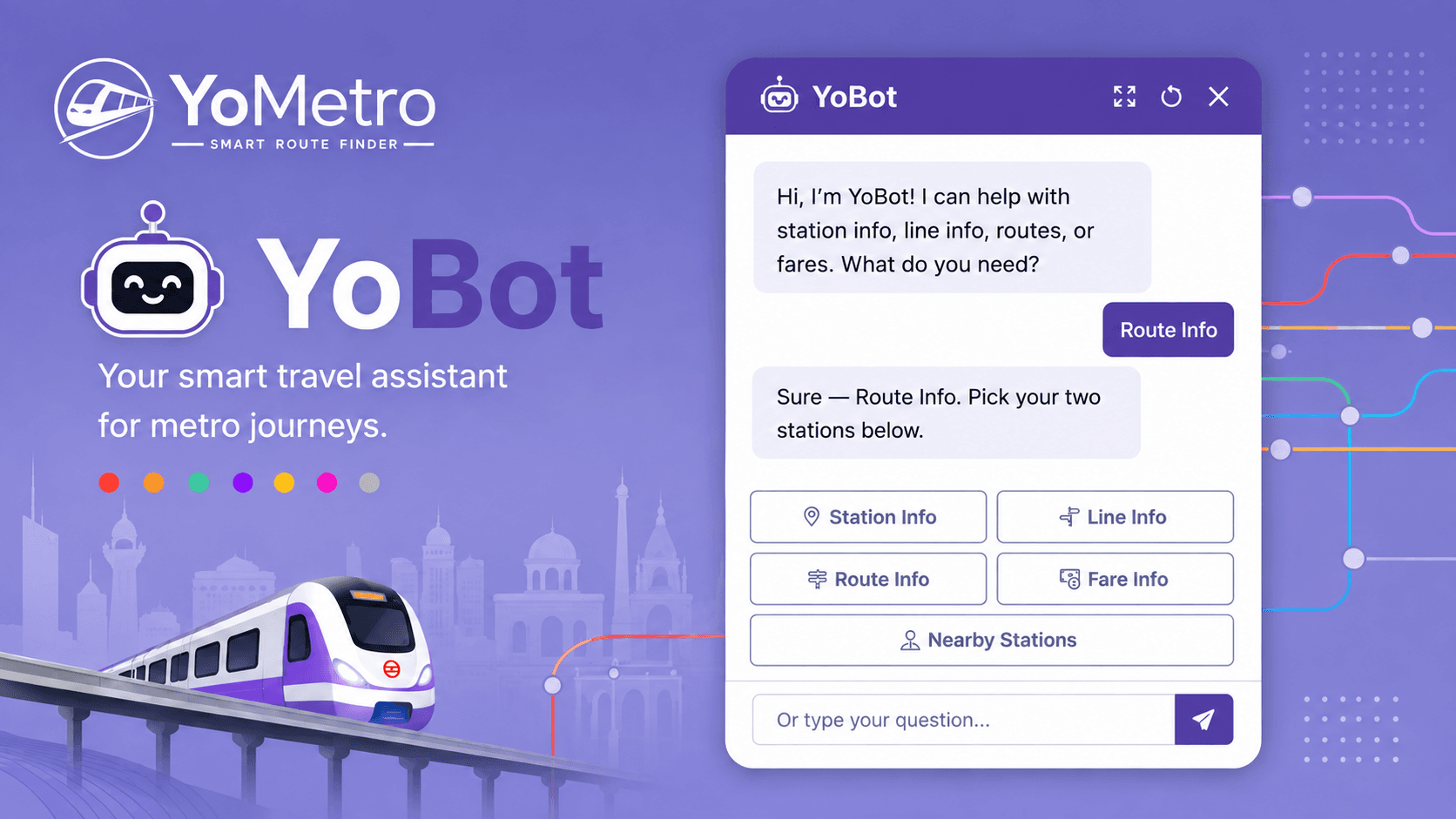
YoBot is an advanced chatbot available on YoMetro's platform that provides instant, accurate information about metro stations, lines, routes, and fares.
Are you tired of getting lost in the maze of metro stations? Do you struggle to find the right route, calculate fares, or locate nearby stations? YoMetro has the perfect solution for you, introducing YoBot, an intelligent AI-powered chatbot designed to make your metro journey planning experience seamless and effortless.
What is YoBot?
YoBot is an advanced chatbot available on YoMetro's platform that provides instant, accurate information about metro stations, lines, routes, and fares. Instead of scrolling through menus or searching multiple pages, you can simply ask YoBot your questions in natural language, and it will provide you with exactly what you need.
Think of YoBot as your personal metro guide who's available 24/7, always ready to answer your questions and help you plan your journey with confidence.
Key Features of YoBot
1. Station Information
Get detailed information about any metro station in seconds. YoBot can tell you:
- Station locations and proximity to landmarks
- Available facilities and amenities
- Station timings and operational hours
- Interchange options and connected lines
2. Line Information
Curious about a specific metro line? YoBot provides comprehensive details:
- Line routes and all stations on that line
- Operating hours and frequency of trains
- Terminal stations and directions
- Color codes and line names
3. Route Planning
Finding the best route has never been easier. Simply ask YoBot:
- "How do I get from Rajiv Chowk to Airport?"
- "What's the fastest route to Connaught Place?"
- "Show me the route with minimum transfers"
YoBot will instantly provide step-by-step directions with station names and line information.
4. Fare Calculation
No more guessing about how much your journey will cost. YoBot calculates exact fares:
- Direct fare from one station to another
- Pricing based on distance traveled
- Updated fare information
- Cost-effective route suggestions
5. Nearby Stations
Lost and need help? YoBot can identify metro stations near you:
- Find the closest metro station to your current location
- Discover alternate stations within walking distance
- Get directions to nearby stations
Why Use YoBot?
1. Save Time
Instead of clicking through multiple pages or searching on Google, you get instant answers with a single message. YoBot responds in seconds with accurate, relevant information.
2. Accuracy Guaranteed
YoBot is powered by the most up-to-date metro database on YoMetro. You'll never get outdated or incorrect information. All fares, routes, and station details are kept current.
3. Natural Conversation
You don't need to memorize commands or special syntax. Just type your question naturally, as you would ask a friend. YoBot understands context and provides relevant answers.
4. Always Available
Whether it's 6 AM or midnight, YoBot is always there to help. No waiting for customer service or business hours, get help whenever you need it.
5. Multiple Input Options
Choose your preferred way to interact:
- Text input: Type your questions in the chat box
- Quick action buttons: Tap pre-defined options like "Station Info," "Line Info," "Route Info," "Fare Info," or "Nearby Stations"
6. Travel Planning Made Easy
Whether you're planning a daily commute or exploring a new city, YoBot helps you:
- Discover the best routes
- Calculate travel time and costs
- Understand metro network connectivity
- Find accessible stations and facilities
How Easy is it to Use YoBot?
Using YoBot is incredibly simple, it's designed for everyone, from tech-savvy millennials to senior citizens unfamiliar with technology.
Step-by-Step Guide:
Method 1: Using Quick Buttons
- Visit yometro.com/chat
- You'll see YoBot's greeting message
- Click on any quick action button:
4. Follow the conversational flow and get your answers
Method 2: Direct Text Questions
- Open the chat interface
- Type your question in the message box
- Examples of questions you can ask:
4. Hit "Send" and get instant answers
Method 3: Free-Form Conversation YoBot understands natural language, so you can ask:
- "I need to go from Kasturba Nagar to Karol Bagh. How do I get there?"
- "Is there a metro station near me?"
- "How much does it cost to travel from CP to Noida?"
Real-World Use Cases
Case 1: The Daily Commuter
Raj commutes from Rajiv Chowk to Kasturba Nagar every day. Instead of memorizing the route, he quickly asks YoBot: "Route from Rajiv Chowk to Kasturba Nagar?" and gets step-by-step directions instantly.
Case 2: The Tourist
Sarah is visiting Delhi for the first time and wants to explore. She asks YoBot: "What metro stations are near my hotel?" and "How much will it cost to reach India Gate?" YoBot provides all the information she needs to explore confidently.
Case 3: The Budget-Conscious Traveler
Raj wants to find the cheapest route between two stations. YoBot compares different routes and shows him the most economical option, helping him save money on daily commutes.
Case 4: The Time-Pressed Professional
Priya is running late for a meeting. She quickly asks YoBot: "Fastest route to Connaught Place?" and gets the optimal route with minimum transfers, saving her precious time.
Benefits of YoBot at a Glance
Feature Benefit
24/7 Availability: Help anytime, anywhere
Instant Responses: No waiting for customer support
Accurate Information: Up-to-date metro data
Easy to Use: No technical knowledge required
Natural Language: Ask questions the way you speak
Multiple Options: Choose buttons or type freely
Comprehensive Coverage: All metro lines and stations
Free to Use: No subscription or charges
Tips for Getting the Best Results from YoBot
- Be Specific: Instead of "How do I get to the station?" ask "What's the route from Rajiv Chowk to Airport?"
- Use Clear Language: Use complete sentences. YoBot understands context better this way.
- Ask Follow-up Questions: If you need more details, simply ask. YoBot remembers the conversation context.
- Use Quick Buttons First: If you're new to YoBot, the quick action buttons are a great starting point.
- Try Different Phrasings: If one question doesn't work, rephrase it. YoBot is flexible with language.
- Plan Ahead: Ask YoBot about routes and fares before you start your journey for better planning.
YoBot represents the future of metro travel assistance. By combining artificial intelligence with comprehensive metro data, YoMetro has created a tool that makes public transportation more accessible and convenient for everyone.
Whether you're a daily commuter trying to optimize your route, a tourist exploring a new city, or someone planning a special trip, YoBot is your reliable companion. With its intuitive interface, instant responses, and accurate information, YoBot removes the complexity from metro journey planning.